Tác tử AI × Chạy đa nhiệm
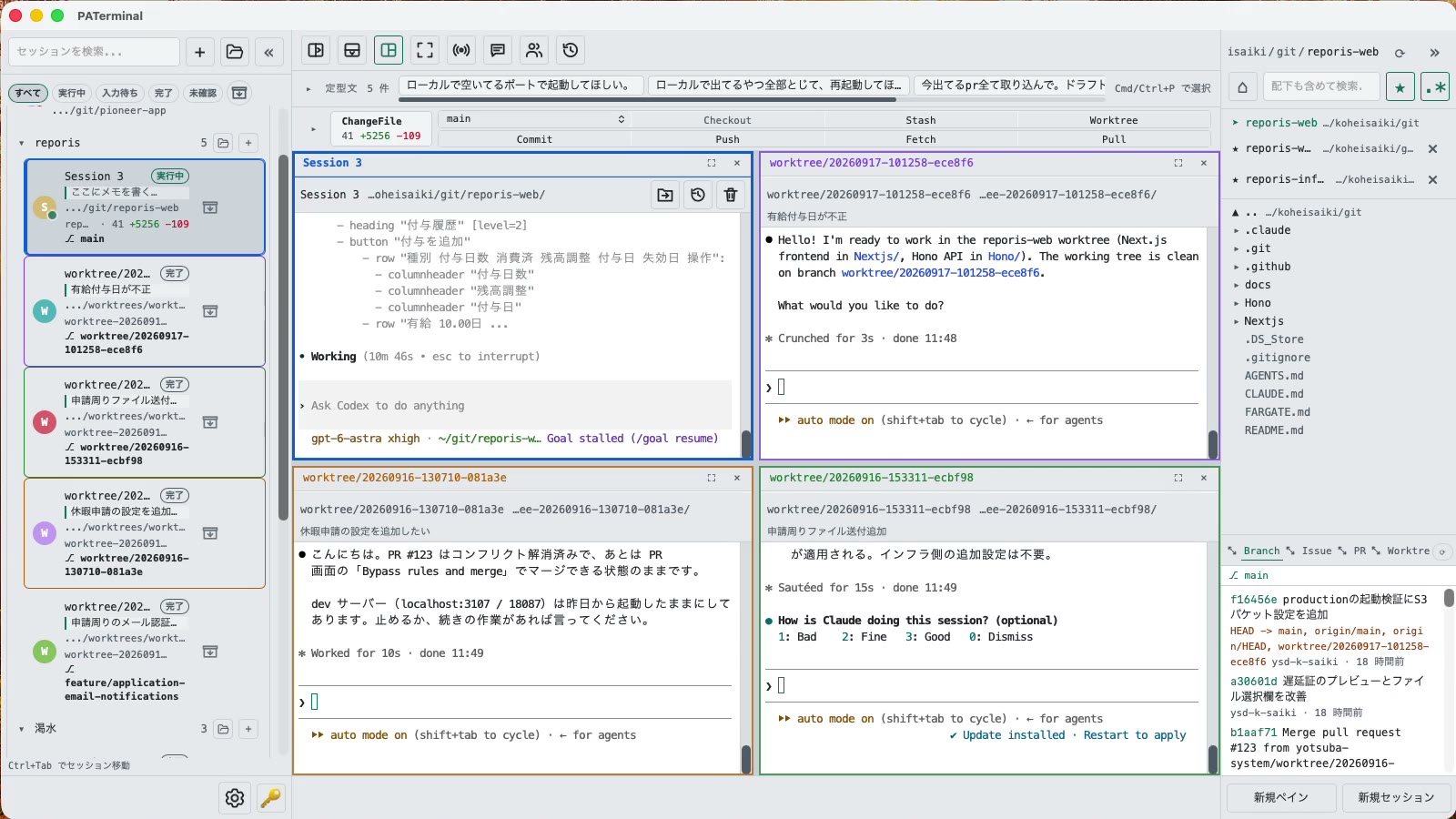
Terminal đa phiên để chạy đồng thời Claude Code, Codex và mọi tác tử CLI, có sẵn Git, tiếp tục phiên và lập trình cặp.
Toàn bộ mã nguồn của PATerminal được công khai trên GitHub. Đọc chính xác ứng dụng làm gì, tự build và xác nhận nó không gửi telemetry. Xem mã nguồn trên GitHub
Dành cho người chạy nhiều hơn một tác tử
Mọi thứ cần thiết để theo dõi nhiều tác tử CLI cùng lúc mà không bỏ sót tác tử nào.
Phiên song song
Each session gets its own independent pane tree. Group, pin, color-code, and annotate sessions with one-line notes. Restart the app and everything comes back — scrollback included.
Hội thoại sau khi khởi động lại
PATerminal detects claude and codex and reopens them with --resume, so the conversation continues right where it left off. You can also hand off any past conversation to a fresh session from the history list.
Chế độ cặp
Four modes: implement × review, cross-review, brainstorm, and co-implementation. Two agents pass prompts to each other automatically — you just watch the work happen.
Git tích hợp
Your changes are always visible in a strip above the terminal. Commit, push, pull, branch, and stash without leaving the app — plus PRs, issues, worktrees, and a built-in diff viewer.
Xem từng tác tử đang làm gì
Each session shows whether it's running, waiting for input, or done. Sessions you're not looking at send a desktop notification when they finish or need approval.
Phát đầu vào và cụm từ
Type once, send to every session at the same time. Keep your go-to prompts in the snippet bar and fire them with one click.
Trình duyệt tệp tích hợp
A file tree with recursive search, quick edits, trash-safe delete, and drag-and-drop moves — right next to your terminals.
17 ngôn ngữ, 5 giao diện, không đo từ xa
No analytics, no tracking. License validation sends nothing beyond your key and a device name.
Tải về
Bản dùng thử miễn phí 30 ngày bắt đầu ở lần khởi chạy đầu tiên. Không cần tài khoản.
Windows SmartScreen may show “Windows protected your PC” because the app is new. Click “More info”, then “Run anyway”. If you want to be sure, compare the SHA-256 below before opening the file.
Windows installation guide: verify your downloadOn first launch, macOS may ask you to confirm opening an app downloaded from the internet. Choose Open.
System requirements: macOS 11+ / Windows 10+
Toàn bộ mã nguồn của PATerminal được công khai trên GitHub. Đọc chính xác ứng dụng làm gì, tự build và xác nhận nó không gửi telemetry. Xem mã nguồn trên GitHub
Review the End User License Agreement (EULA) before downloading and using PATerminal.
PATerminal so với các terminal khác
So sánh trung thực, từng điểm một, với những terminal được hỏi nhiều nhất, kèm ngày kiểm tra gần nhất của mỗi cột.
PATerminal vs Windows Terminal
Windows Terminal là một terminal miễn phí tuyệt vời. PATerminal bổ sung những gì bạn cần để chạy nhiều phiên Claude Code hoặc Codex cùng lúc: trạng thái tác tử, tiếp tục hội thoại, ghi chú, bảng git và chế độ cặp đôi. Windows 10+ và macOS.
PATerminal vs Warp
Warp đi kèm tác tử AI và tín dụng riêng. PATerminal chạy song song những tác tử CLI bạn đã trả tiền (Claude Code, Codex và hơn nữa), không cần tài khoản, không tín dụng, không telemetry. Windows 10+ và macOS.
PATerminal vs Orca
Orca là môi trường phát triển tác tử miễn phí, mã nguồn mở, xây dựng quanh mô hình một git worktree cho mỗi tác tử. PATerminal là terminal nhẹ hơn với sắp xếp phiên, tiếp tục hội thoại và chế độ cặp đôi. Cái nào hợp với quy trình của bạn trên Windows hoặc macOS?